Plan
Define the change
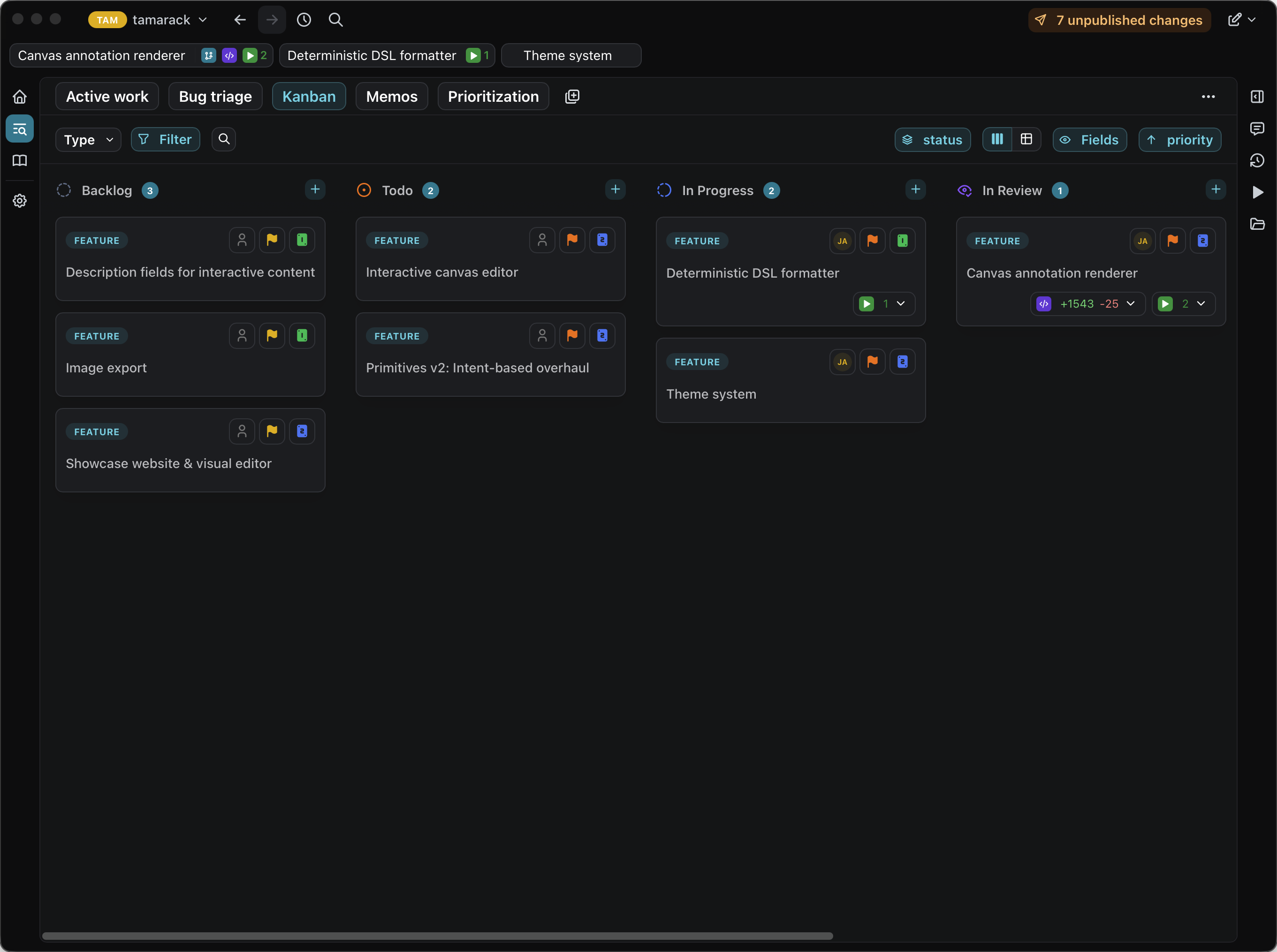
Every feature starts as a spec, a shared artifact you and your agent both work on. Refine it together in conversation: the agent asks clarifying questions, surfaces tradeoffs, and captures the decisions you make. The same artifact drives discussion, implementation, and review through the entire lifecycle.
View work as a board, table, or filtered list. Define custom artifact types and custom fields to model work your way.
Build
Build from context
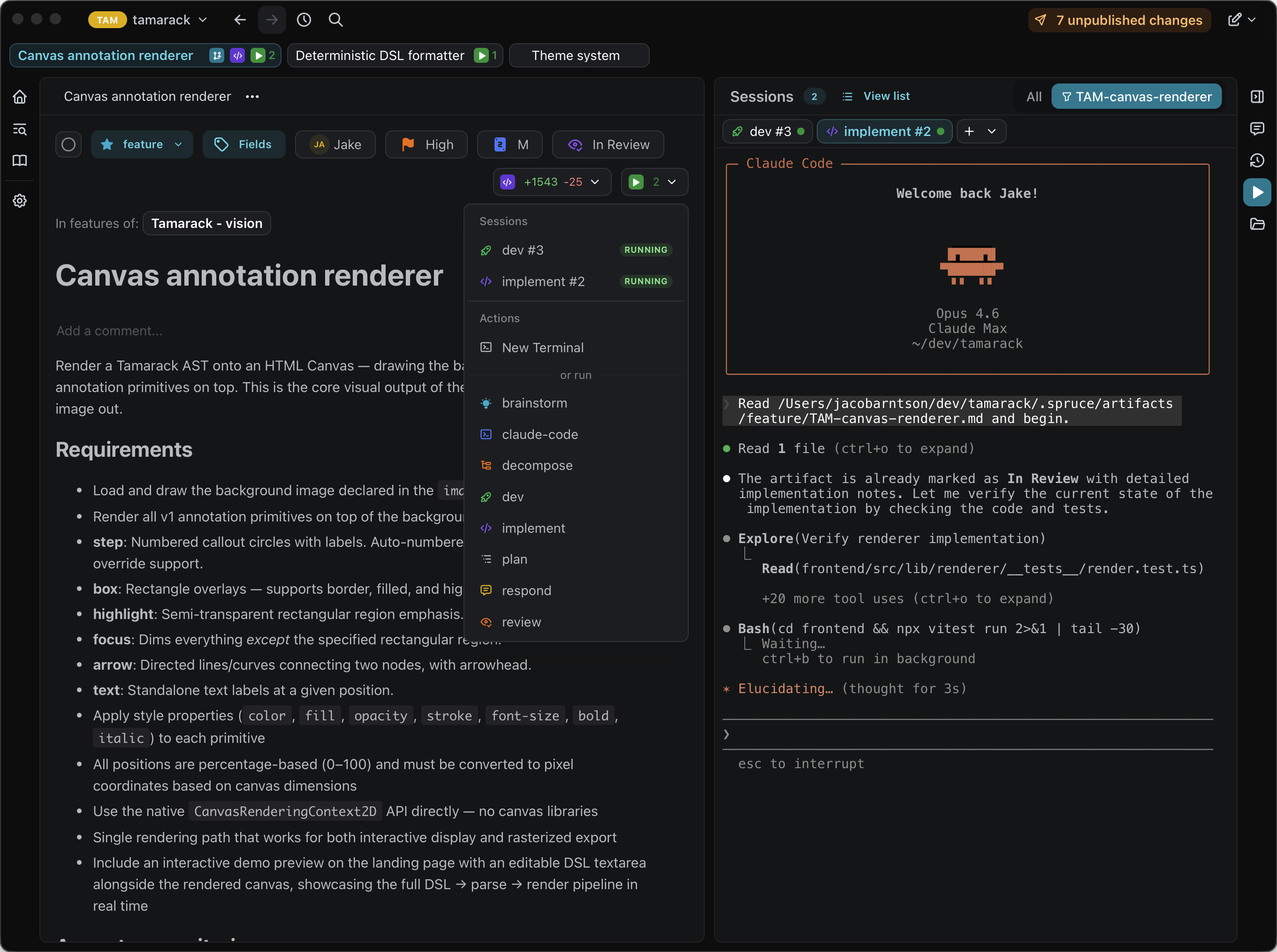
Hand off implementation to your agent. They inherit the full spec as context (no copy-pasting, no explaining what you're working on) and keep working in the same artifact.
Pick your agent: Claude Code, Codex, Gemini CLI, Kiro, OpenCode, or your own. Actions are Markdown files: define them once, run them through any agent CLI or as a plain shell command. If it runs in a terminal, it runs in Spruce.
Review
Review holistically
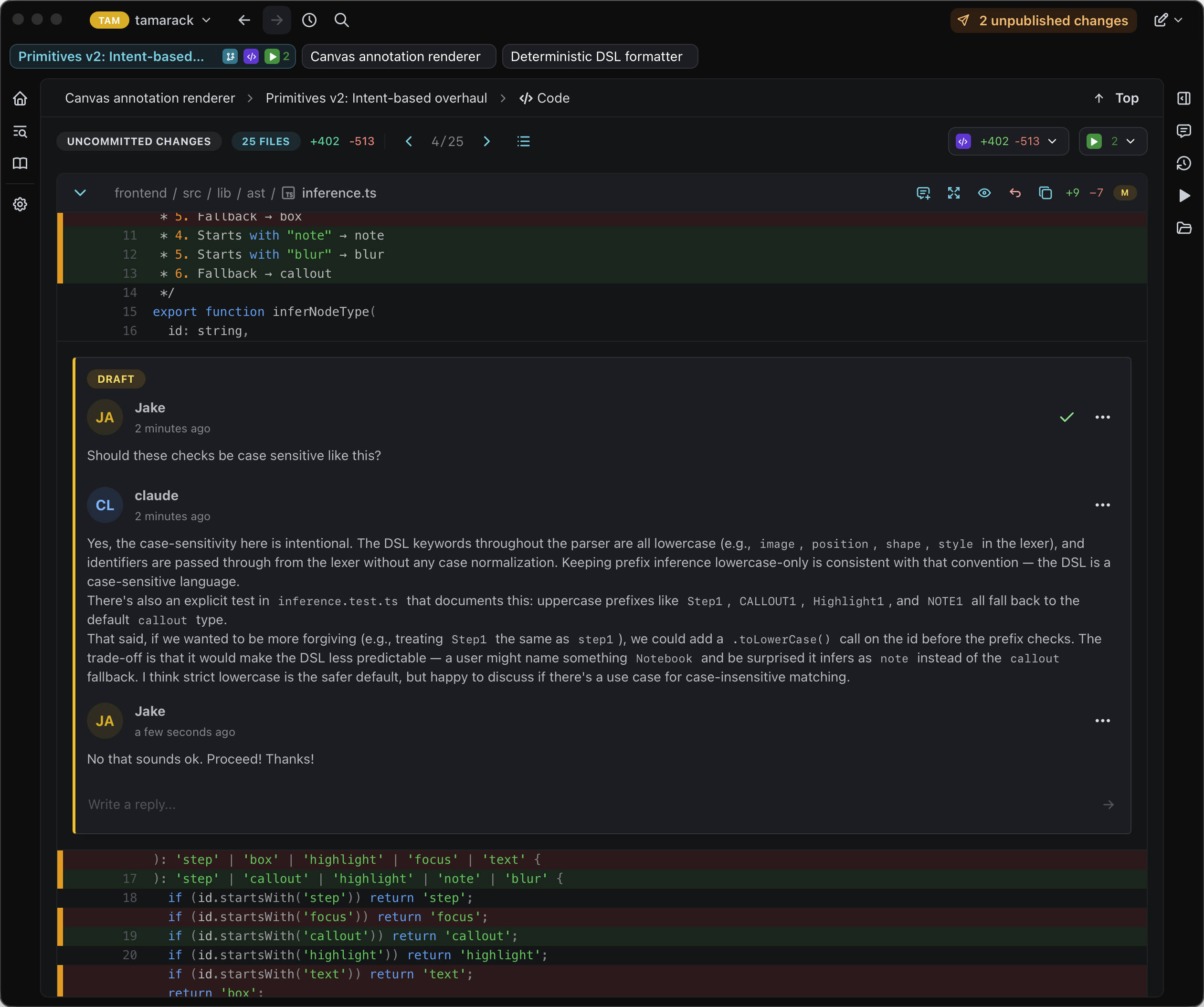
Read diffs, browse files, and leave inline comments, all connected to the spec that prompted the change.
Comments work the same whether you're talking to a teammate or your agent. Leave a note on anything that needs to change, and your agent will reply with a fix and resolve the thread. There's no separate inbox for AI feedback. It all stays anchored to the artifact that started the work.
Local by design. Yours by default.
Spruce is a native desktop app that stores everything as plain files in your repository: specs, templates, actions, workflows. No cloud database, no proprietary format, no browser tab. You extend the system the same way you extend code: edit a file, open a PR, share it through Git.
No cloud required. Runs entirely on your machine. No account, no sync service, no server to depend on.
Private by default. Your data never leaves your device. Nothing is sent anywhere unless you push to Git.
Git-native storage. Plain Markdown and YAML in your repo. Versioned, diffable, and portable across any tool.
No lock-in. Stop using Spruce and your data is still right there in Git. No export, no migration.
Your specs and tasks
Discussion threads
Blueprints for new artifacts
Saved queries and layouts
Team member profiles
Reusable agent and shell commands
Stop switching between your tracker, editor, and terminal
See the full story of a change
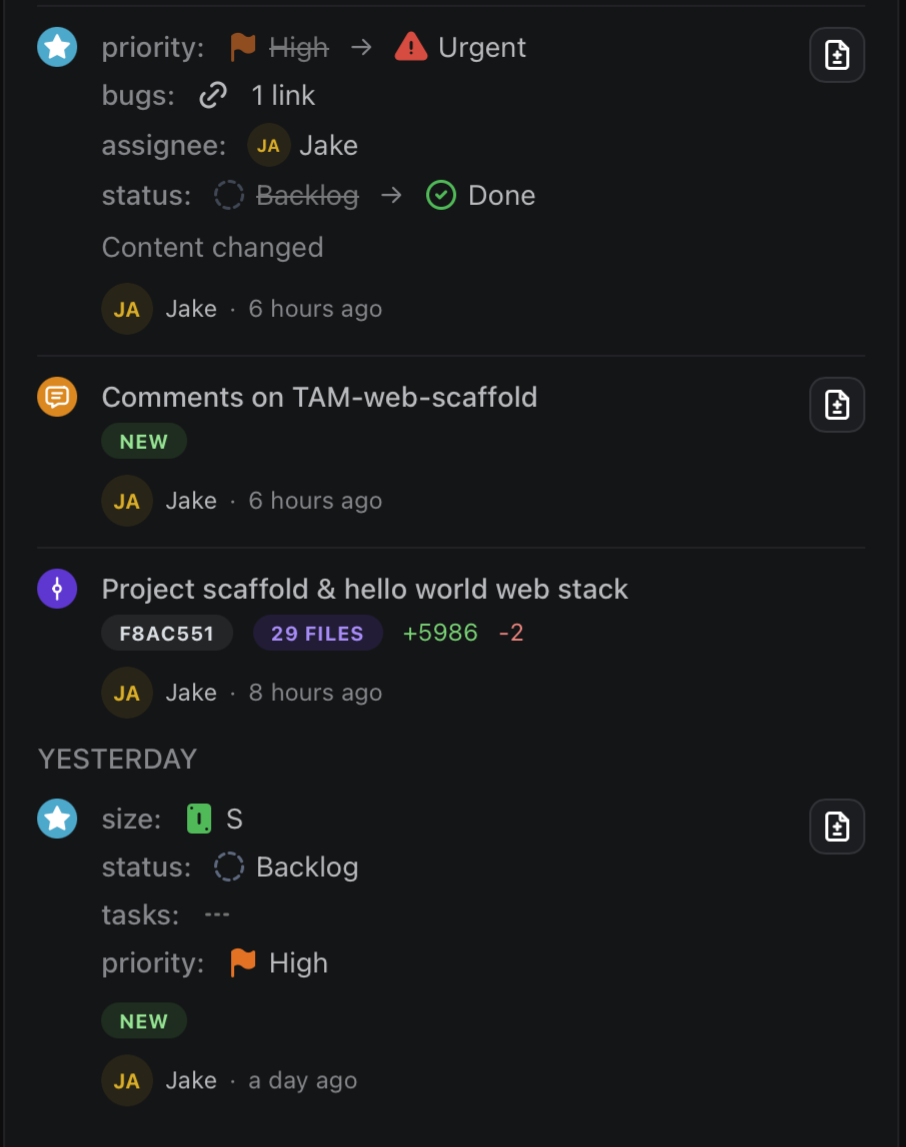
Unified history combines spec edits, state transitions, and Git commits in a single timeline. Trace how a feature evolved from idea to merge.
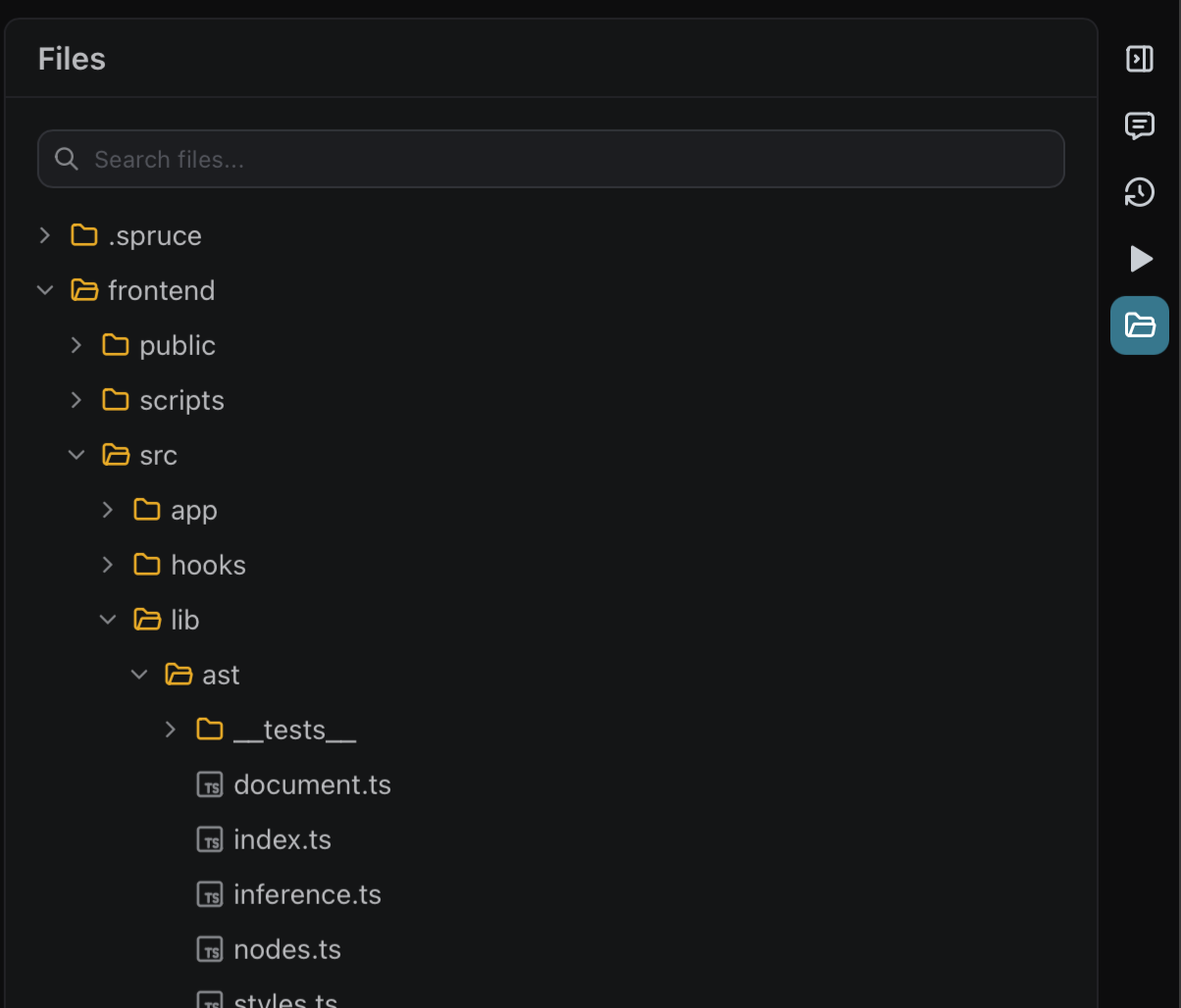
Jump from feature to file
Browse your repository without leaving the workflow. Navigate from a feature directly to the files that implement it.
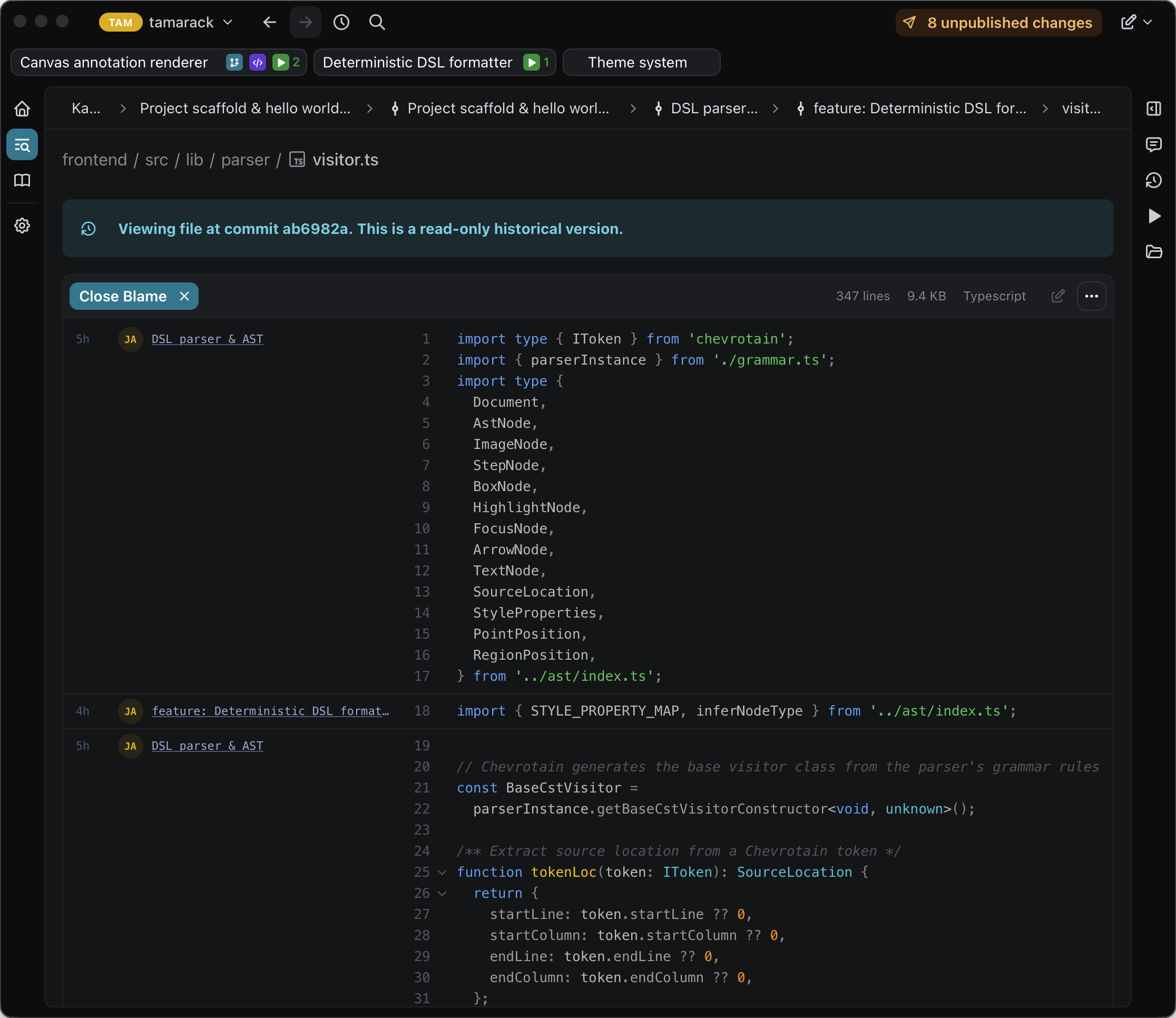
Trace any line back to its origin
Git blame and commit history are built in. See who changed what and why without switching tools.
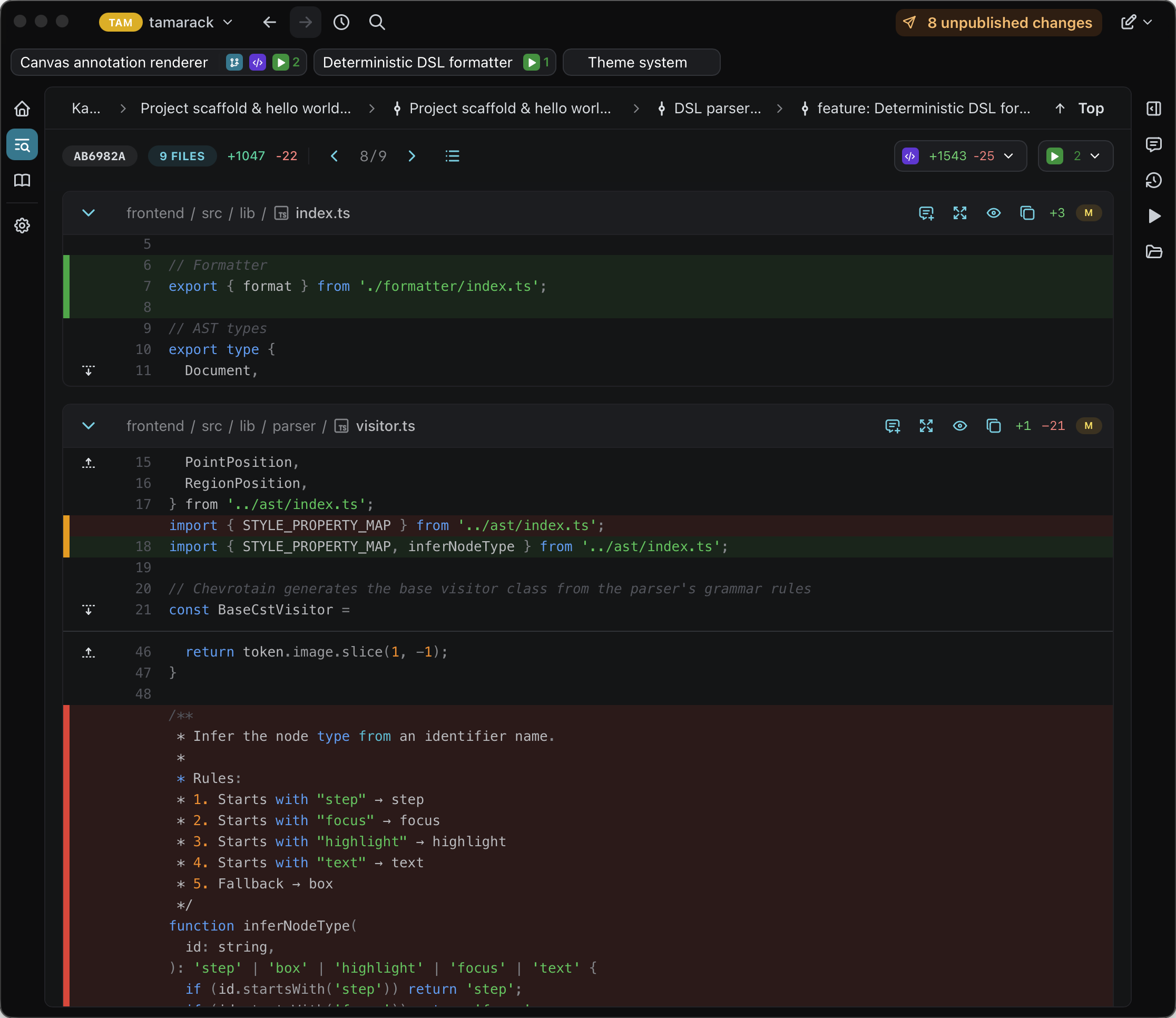
Review diffs in context
Scrollable diff view keeps implementation tied to the feature that prompted it. Leave feedback exactly where it belongs.
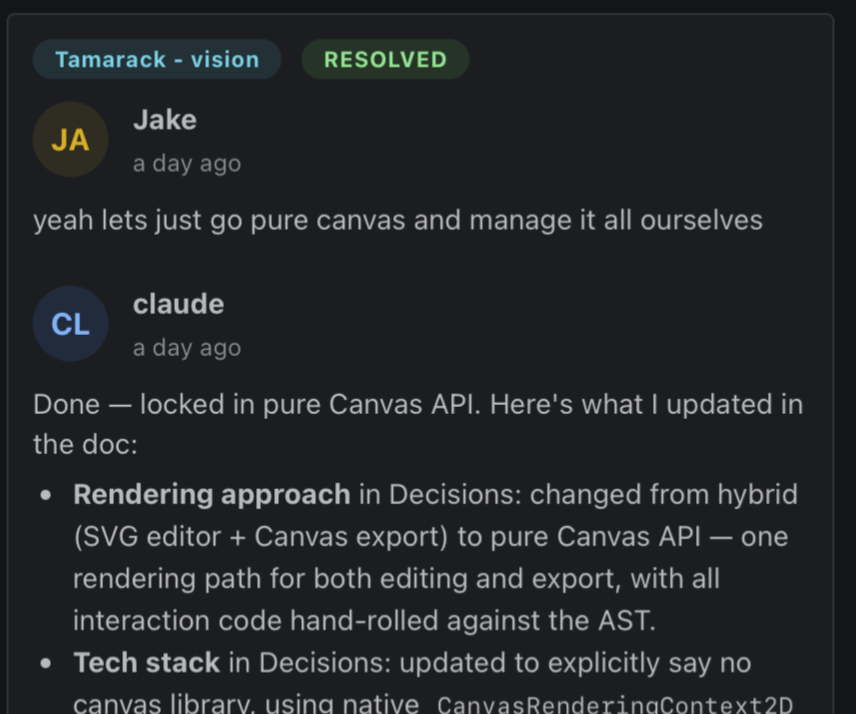
Keep every discussion attached
Comment on specs, files, and diffs using the same system. Conversations stay connected from planning through review, whether they're with a teammate or with your agent.
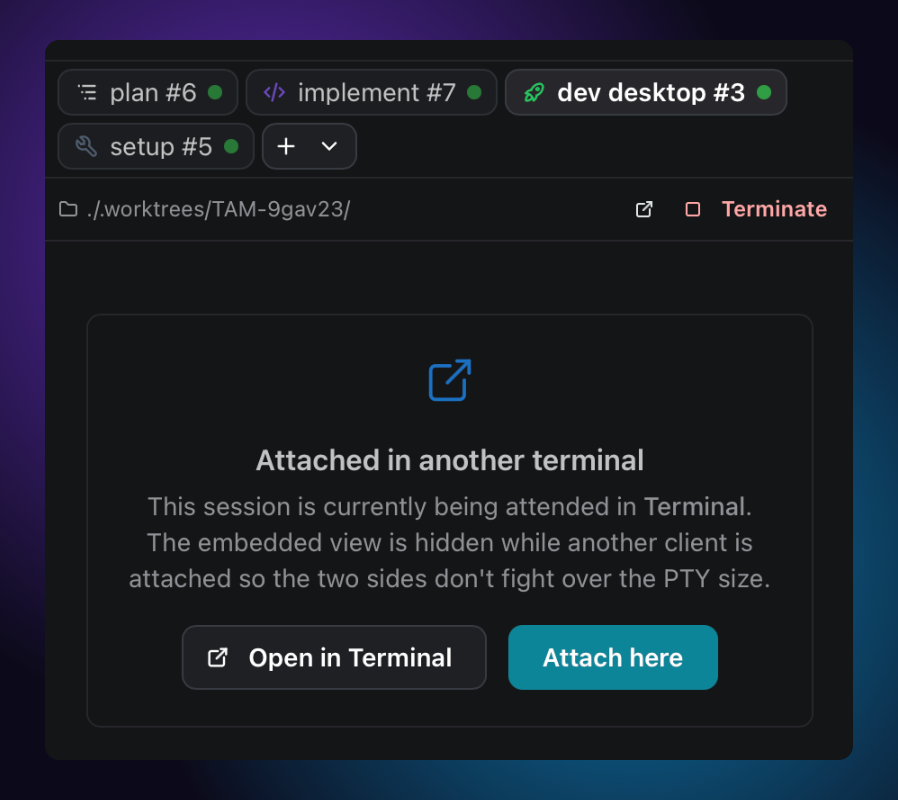
Pick up where you left off
Run commands in Spruce's built-in terminal, or pop out to your native one. Sessions are scoped to an artifact and survive restarts, so you can reattach to a long-running build, dev server, or REPL whenever you come back.

Get Spruce
Free, local-first, and yours to keep. Download it, point it at a repo, and you're working.
Download SprucemacOS, Windows, and Linux. No account required.